GeoTech Pro Review · for Unreal Engine
Review the detail.
Keep the workflow.
Create high-resolution review media from your Unreal renders, bring it back into your project, and make lighter files for sharing.
TMV review up to 16K · H.264 sharing up to 4K
Large-format media review
Reviewing high-resolution renders is still slow.
- 01
Heavy source files
High-resolution image sequences demand substantial storage and are cumbersome to move, manage and review.
- 02
Slow client review
Traditional editing tools make it difficult to quickly review large-format image sequences and video files.
- 03
Limited format support
Codecs such as NotchLC and Daniel2 are not natively supported in Unreal and have limited out-of-the-box support elsewhere.
- 04
Compromised previs
Proxies and other workarounds limit preview fidelity, making accurate review in Unreal more difficult.
Workflow
From render to review, inside Unreal.
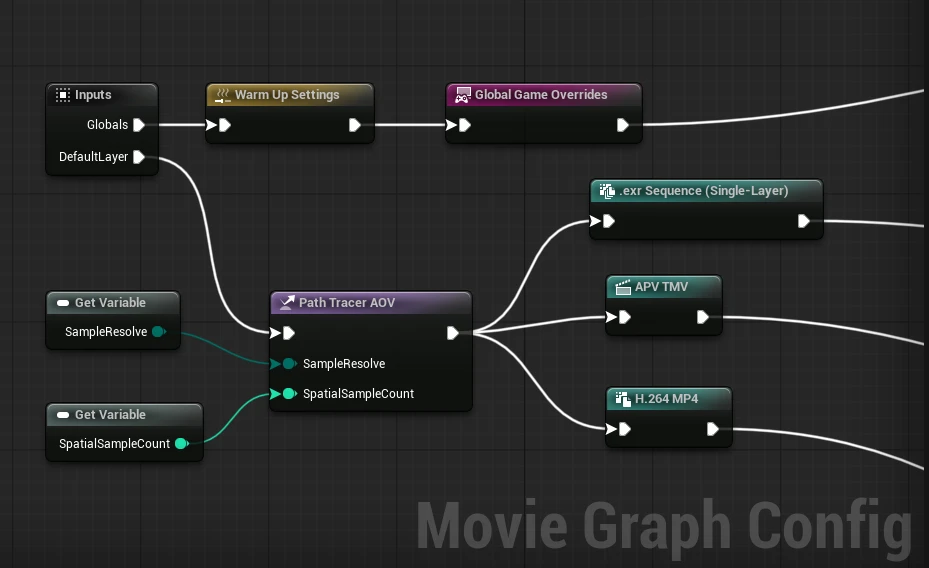
Pro Review plugs into Movie Render Queue, Movie Render Graph and Deadline. Sensible presets by default; advanced controls stay out of the way.
Outputs for every review stage
Generate multiple files from a single render through MRQ, MRG or Deadline — for review, sharing and validation.
- TMV intermediates for review up to 16K
- H.264 versions for sharing up to 4K
- Presets and graphs start simple, with advanced options collapsed
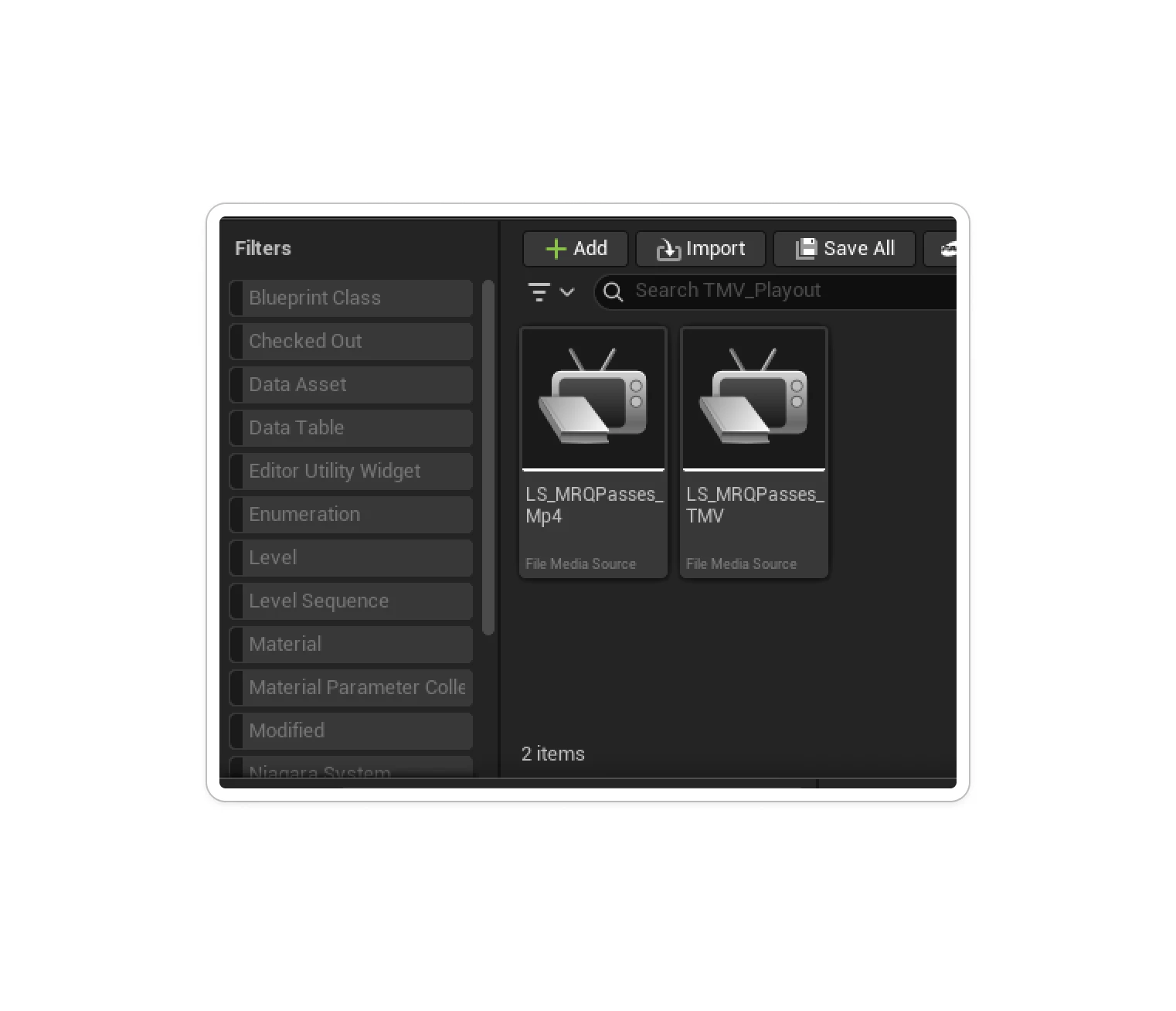
Import straight back into Unreal
Post-render options import outputs as .uasset files, ready for immediate review in Unreal’s Media Viewer — for render validation, previs or further compositing.
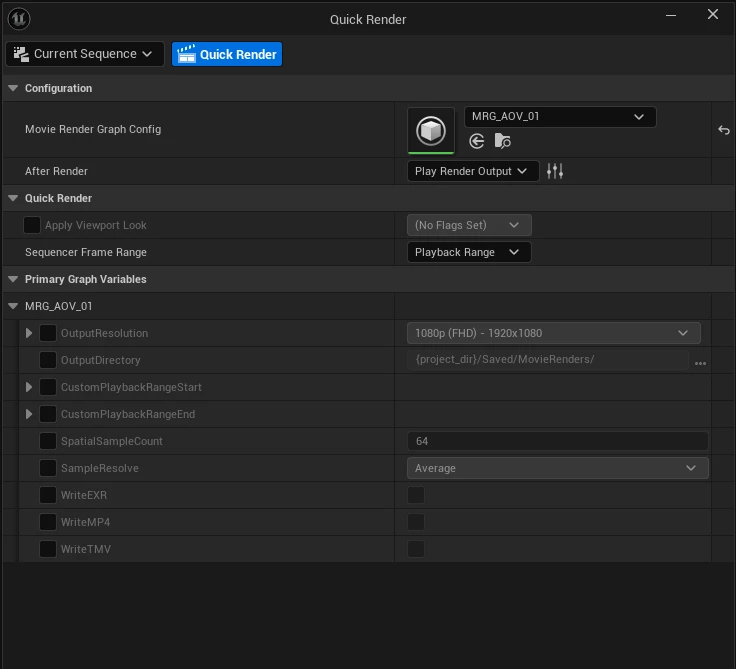
Compare with the viewport
Use the Quick Render graph to assess differences between the rendered output and what you see in the Unreal viewport.
Tiled Mipmap Video
What is TMV?
TMV stands for Tiled Mipmap Video: a review format built on the OpenAPV framework, with playback similar to tiled EXR, so very large frames stay responsive.
Synchronized playback
Built to synchronize nDisplay nodes through standard Sequencer playback.
HDR and wide color
Extensible HDR and Rec. 2020 support, available out of the box.
EXR
Impractical to play at full frame rate.
TMV
Smooth playback at 16K.
Example figures from the Pro Review product deck; not a general benchmark. Results depend on content and settings.
Pipeline integration
Fits the pipeline you already run.
- 01
Rendering compatibility
Validated with Unreal’s deferred renderer, path tracer and additional AOV render passes.
- 02
Straight back into Unreal
Add rendered files immediately to an Unreal project for render validation, previs or further compositing.
- 03
Render farm ready
Integrates with GeoTech’s Render Wave or Deadline.
- 04
Review without Unreal
A PC companion player for TMV files is a concept — contact the team for current availability.
Companion player
Review without installing Unreal.
A lightweight PC application for viewing TMV media without Unreal. It is a concept — contact the team for current availability. Mac support is unconfirmed.
 Pro Review
Potential extensions
Where Pro Review could go next.
Exploratory directions, not supported integrations or shipped features.
- 01
Broader software support
Codec integration with Nuke, Premiere Pro and other applications is plausible but untested.
- 02
Review and markup
Annotations and uploads of individual frames to platforms such as Frame.io.
- 03
Separate render passes
AOVs, Cryptomatte and other passes as separate TMV files for comparison or compositing.
- 04
Media server playback
TMV as a playout codec in other media server systems for review or final output.
- 05
GPU encode and decode
Frameworks beyond APV could enable GPU encoding and decoding.
Contact
Bring your next render. Let’s review the workflow.
Tell us about your resolution, output formats, and review setup.
Request a demo